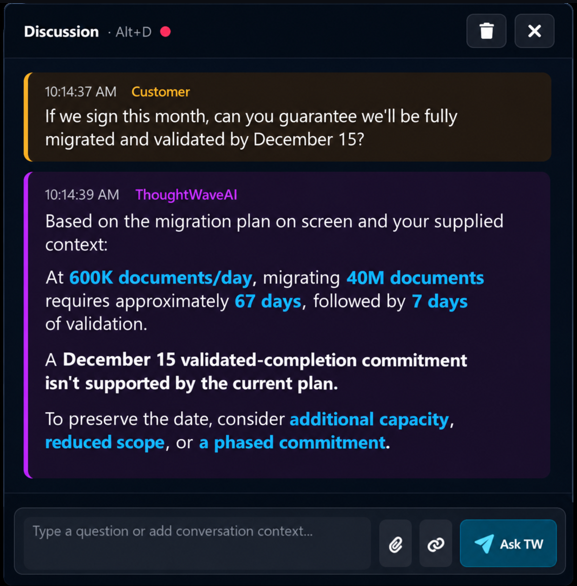
Illustrative examples. Video and shared-screen context are supported; cross-session references use context you provide.
For Individuals
Classes & Lectures
Understand difficult lecture concepts while the class is happening
Your professor is presenting a neural-network slide showing gradients flowing backward through hidden layers while explaining backpropagation and gradient descent.
“Backpropagation applies the chain rule to calculate how each weight contributes to the loss, allowing gradient descent to update the network.”
How TW can help: TW Intelligence Assist (proactive): Real-world connection — a bank's fraud-detection model incorrectly flags a legitimate transaction. Backpropagation calculates how the network's weights contributed to the prediction error; gradient descent adjusts them to reduce errors across labeled training examples. Ask TW (on demand): You ask, “Give me a question to test my understanding.” TW suggests: “If the learning rate is too high, why might a fraud-detection model fail to converge even when its gradients are correct?”
Drawing on: the ongoing lecture and displayed slide for Intelligence Assist; your practice-question request for Ask TW
What you gain: Connect the diagram on screen to a real fraud-detection problem, ask questions, and check your understanding while your professor is still on the topic—not hours later while rereading notes.
Interview Preparation
Turn an enterprise-scale question into a defensible plan
You are interviewing for an enterprise AI architecture role at a financial institution. AI assistance is explicitly permitted.
“We have 40+ applications and sensitive customer data. How would you roll out GenAI securely, control costs, and prove business value?”
How TW can help: Structure the answer as an execution roadmap: (1) rank use cases by measurable value, data readiness, and risk; (2) pilot a reusable AI gateway with governed RAG and model routing; (3) enforce identity-aware retrieval, PII controls, auditability, and human oversight; (4) introduce evaluation, latency and cost guardrails; (5) scale only when pilots meet quality, adoption, and cost-per-outcome targets. Tie each stage to a decision gate, not a technology shopping list.
Drawing on: the interviewer’s question, enterprise AI architecture principles, and professional context you chose to provide
What you gain: Walk away from a sprawling 40-application question with an ordered rollout plan, measurable gates, and a clear way to defend each trade-off—not a list of AI buzzwords.
For Professionals
Client Discovery
Expose a scope change before it becomes a commitment
Your goal is to leave with an agreed scope and unresolved risks. Your supplied notes say the pilot covers Finance only.
“We need this to work for several departments, but their approval processes are different.”
How TW can help: Suggested follow-up: “Are those other departments part of phase one, or does the Finance-only pilot still stand? Who approves exceptions across departments?”
Drawing on: your Finance-only scope notes and the new department requirement
What you gain: Catch scope expansion at the moment it surfaces—before an ambiguous remark turns into an unpriced delivery obligation.
Demos & Sales
Handle objections without inventing product guarantees
You shared your integration guide with TW before a customer demo.
“What happens if the integration fails halfway through?”
How TW can help: Your guide says failed batches retry up to three times, then pause for manual review. It does not confirm that partial writes are rolled back. Explain the documented retry path, and say rollback behavior needs verification before you promise it.
Drawing on: your supplied integration guide, including what it does not specify
What you gain: Answer a difficult live objection from your actual documentation—and avoid a costly promise the product guide cannot support.
Technical Meetings
Spot the mismatch before you commit
Your documented implementation estimate is eight weeks; the client is asking for a six-week launch.
“Can you commit to the launch date?”
How TW can help: Your eight-week estimate conflicts with the six-week request. Before agreeing, ask whether launch scope can be phased, dependencies can be accelerated, or the date is flexible. State which assumptions would have to change.
Drawing on: your eight-week estimate and the live request
What you gain: Catch a two-week delivery gap before saying “yes”—and leave the call with specific options instead of an accidental commitment.
Follow-Up Discussions
Bring a hidden open item into the next decision
You explicitly supplied the unresolved actions from the previous session; automatic cross-session recall is not assumed.
“Great, can we kick off next week?”
How TW can help: The carried-forward notes say phase-one SSO approval is still pending. Confirm who owns that decision and its due date before agreeing to a kickoff.
Drawing on: prior-call action items that you supplied for this session
What you gain: Prevent a kickoff commitment from skipping a prerequisite everyone stopped mentioning—without searching old notes mid-call.
For Leaders
Executive Decisions
Evaluate hidden risks before approving a multimillion-dollar decision.
At the previous quarter's review, leaders set a 70% pilot adoption threshold before expansion. You've supplied that presentation as context. Today's shared slide shows only 43% adoption, yet recommends a $5 million rollout.
“The pilot results support moving to a full rollout now.”
How TW can help: Risk to evaluate: the rollout recommendation does not meet the earlier 70% adoption gate. At 43% adoption, projected benefits may not materialize as modeled. Before approving $5 million, ask for downside scenarios at current adoption, revised benefit assumptions, and whether phased investment can reduce exposure.
Drawing on: the prior-quarter presentation supplied to TW, the currently shown slide, and the discussion using supplied prior-session context and current screen.
What you gain: Assess the downside and challenge unsupported assumptions before committing $5 million.
Strategy & Alignment
Avoid costly execution by choosing the right strategy early.
Leadership is considering a centralized enterprise AI platform versus separate business-unit AI solutions. Your supplied strategy sets governance, time-to-value, and total cost as key decision criteria.
“Should we centralize everything or let each business unit build its own AI stack?”
How TW can help: Compare the decision before funding it: centralization can improve reuse and governance but may slow initial delivery; separate stacks can speed pilots but increase duplication and compliance overhead. A shared model/security gateway with business-unit applications may balance both. Ask which option best meets the agreed cost, speed, and risk criteria.
Drawing on: the supplied AI strategy, proposed architecture options, and live discussion (illustrative).
What you gain: Avoid duplicated investment and expensive architecture rework by evaluating trade-offs before teams commit resources.
Delivery & Accountability
Surface hidden dependencies before your project turns red.
The displayed delivery dashboard reports Green and the team proposes a launch next Friday. The release checklist supplied to TW still shows production security approval as pending.
“Development is complete, so can we confirm next Friday as the launch date?”
How TW can help: The project is green for development, but production security sign-off remains open on the launch critical path. Confirm the approval owner, likely sign-off date, escalation trigger, and contingency before reaffirming the launch date.
Drawing on: the supplied release checklist, currently displayed dashboard, and the live question.
What you gain: Escalate a release-critical dependency while there is still time to recover—not after a missed launch turns the project Red.